Introduction: Microsoft 365 as a Strategic Business Engine
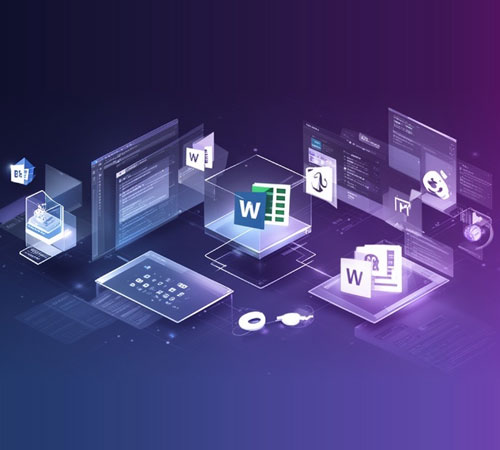
Microsoft 365 has evolved far beyond a simple productivity suite. In 2026, it has become a strategic business engine that drives productivity, collaboration, security, and digital transformation. With AI integration through Copilot, automation capabilities, and comprehensive business solutions, Microsoft 365 is now essential infrastructure for modern businesses. LinkedIn
At Diginow, we help businesses maximise their Microsoft 365 investment, ensuring they leverage the full capabilities of this powerful platform. This comprehensive guide explores the features, benefits, and strategic implementation of Microsoft 365 for business in 2026.
The Evolution of Microsoft 365 in 2026
From Productivity Suite to AI-Powered Business Platform
Microsoft 365 has undergone a fundamental transformation, becoming an AI-powered ecosystem that enhances every aspect of business operations:
Key Evolution Areas:
- AI Integration: Copilot has become the default Microsoft 365 experience, with AI embedded across all applications
- Work IQ: New organisational memory capabilities that capture and leverage institutional knowledge
- Autonomous Workflows: Automation that handles routine tasks without human intervention
- Enhanced Security: Advanced threat protection and compliance capabilities
- Seamless Collaboration: Real-time co-authoring and communication across distances EnvisionIT
The 2026 Microsoft 365 Ecosystem
Core Applications:
- Microsoft Word: AI-powered document creation and editing
- Microsoft Excel: Advanced data analysis with AI insights
- Microsoft PowerPoint: Intelligent presentation design
- Microsoft Outlook: AI-enhanced email and calendar management
- Microsoft Teams: Comprehensive collaboration and communication hub
- Microsoft OneDrive: Cloud storage with intelligent organisation
- Microsoft SharePoint: Enterprise content management and intranet
Business Applications:
- Microsoft Dynamics 365: CRM and ERP integration
- Microsoft Power Platform: Low-code app development, automation, and analytics
- Microsoft Defender: Advanced threat protection
- Microsoft Intune: Device and application management
- Microsoft Purview: Information protection and governance
The Strategic Business Benefits of Microsoft 365
-
Productivity Enhancement
AI-Powered Assistance:
- Copilot integration: AI assistance across Word, Excel, PowerPoint, Outlook, and Teams
- Intelligent document creation: AI-generated drafts and content suggestions
- Data analysis automation: Excel insights and visualisation recommendations
- Email management: Priority inbox, suggested replies, and meeting scheduling
- Presentation design: AI-powered slide layouts and content suggestions
Time Savings:
- Automated routine tasks: AI handling of repetitive work
- Streamlined workflows: Reduced manual steps in common processes
- Faster document creation: AI-assisted drafting and editing
- Efficient meeting management: Intelligent scheduling and follow-up
- Quick information retrieval: AI-powered search across all content
-
Enhanced Collaboration
Real-Time Co-Authoring:
- Simultaneous editing: Multiple users working on documents simultaneously
- Live updates: Instant synchronisation of changes across all users
- Version control: Automatic tracking of document versions and changes
- Comments and feedback: Integrated review and approval workflows
- Access anywhere: Collaboration from any device, any location
Teams as a Collaboration Hub:
- Chat and messaging: Instant communication with individuals and groups
- Video meetings: High-quality video conferencing with recording and transcription
- File sharing: Seamless document sharing and co-authoring
- Channel organisation: Structured workspaces for projects and teams
- App integration: Connection with hundreds of business applications
- Whiteboard: Digital collaboration space for brainstorming and planning
-
Robust Security and Compliance
Advanced Threat Protection:
- Microsoft Defender: Protection against malware, phishing, and advanced threats
- Identity protection: Multi-factor authentication and conditional access
- Data loss prevention: Prevention of sensitive data leakage
- Encryption: At-rest and in-transit data protection
- Security analytics: Threat detection and response capabilities
Compliance and Governance:
- Microsoft Purview: Information protection and governance
- Retention policies: Automated data lifecycle management
- eDiscovery: Legal hold and discovery capabilities
- Audit logs: Comprehensive activity tracking and reporting
- Compliance standards: Support for GDPR, HIPAA, SOC 2, and other regulations CoreView
-
Business Process Automation
Microsoft Power Platform:
- Power Automate: Workflow automation without coding
- Power Apps: Custom business application development
- Power BI: Business intelligence and data visualisation
- Power Virtual Agents: AI-powered chatbots and virtual agents
- Integration: Connection with hundreds of business application
Automation Use Cases:
- Document approval workflows: Automated routing and approval
- Data synchronisation: Automated data flow between systems
- Notification and alerts: Automated communication based on triggers
- Routine task automation: Automated handling of repetitive tasks
- Customer service: AI-powered chatbots for common inquiries
-
Scalable and Flexible Infrastructure
Cloud-First Architecture:
- Anywhere access: Work from any location with internet connectivity
- Automatic updates: Always current with latest features and security
- Scalable storage: Flexible storage options based on needs
- Device flexibility: Support for Windows, Mac, iOS, Android, and web
- Reduced IT burden: Less on-premises infrastructure management
Microsoft 365 Business Plans: Choosing the Right Solution
Microsoft 365 Business Basic
Best for: Small businesses needing essential cloud services
Includes:
- Web versions of Office apps
- Business-class email
- 1 TB OneDrive cloud storage per user
- Microsoft Teams
- Standard security
Microsoft 365 Business Standard
Best for: Small to medium businesses requiring desktop Office applications
Includes:
- Everything in Business Basic, plus:
- Desktop versions of Office apps (Word, Excel, PowerPoint, Outlook)
- Webinar hosting
- Appointment scheduling
- Desktop publishing (Publisher)
Microsoft 365 Business Premium
Best for: Businesses requiring advanced security and device management
Includes:
- Everything in Business Standard, plus:
- Advanced threat protection
- Identity and access management
- Device and app management
- Information protection
- Advanced compliance capabilities
Microsoft 365 Enterprise Plans
Best for: Large organisations with complex requirements
Includes:
- Everything in Business Premium, plus:
- Advanced analytics with Power BI Pro
- Audio conferencing
- Advanced eDiscovery
- Advanced compliance
- Custom and automated app development
Implementation and Adoption Best Practices
Phase 1: Assessment and Planning
Current State Analysis:
- Existing productivity tools and usage
- Business processes and workflows
- Security and compliance requirements
- User needs and skill levels
- Integration requirements with existing systems
Future State Vision:
- Productivity and collaboration goals
- Security and compliance objectives
- Automation and efficiency targets
- Training and change management needs
- Timeline and resource allocation
Phase 2: Technical Setup and Configuration
Tenant Configuration:
- Domain setup and verification
- User account creation and licensing
- Security and compliance settings
- Device and application management
- Backup and recovery configuration
Migration Planning:
- Data migration from existing systems
- Email migration and coexistence
- File and document migration
- Application integration
- User training and communication
Phase 3: User Adoption and Training
Change Management:
- Executive sponsorship and communication
- User training programmes and resources
- Champions and early adopter programmes
- Feedback collection and continuous improvement
- Success metrics and tracking
Training Resources:
- Microsoft Learn online training
- Custom training materials and workshops
- Quick reference guides and tutorials
- Internal help desk and support
- Ongoing education and updates
Phase 4: Optimisation and Governance
Governance Framework:
- Usage policies and guidelines
- Security and compliance monitoring
- Licence optimisation and cost management
- Data governance and retention policies
- Continuous improvement processes
Performance Monitoring:
- Adoption metrics and user engagement
- Productivity and efficiency measurements
- Security incident and compliance reporting
- Support ticket analysis and resolution
- Return on investment (ROI) tracking
Industry-Specific Microsoft 365 Solutions
Professional Services
Key Capabilities:
- Client collaboration: Secure client portals and document sharing
- Project management: Planner and Project integration for project tracking
- Time tracking: Power Automate workflows for time and expense management
- Document automation: Word and Power Automate for proposal and contract generation
- Knowledge management: SharePoint for internal knowledge base
Healthcare
Key Capabilities:
- Compliance: HIPAA and healthcare regulation support
- Secure communication: Teams for secure provider collaboration
- Patient engagement: Power Platform for patient portals and engagement
- Telehealth: Teams for virtual consultations and meetings
- Data analytics: Power BI for healthcare analytics and reporting
Financial Services
Key Capabilities:
- Compliance: Financial regulation and audit support
- Secure collaboration: Teams with advanced security for sensitive discussions
- Client management: Dynamics 365 integration for CRM
- Document management: SharePoint for document control and version management
- Data protection: Advanced threat protection and data loss prevention
Education
Key Capabilities:
- Learning management: Teams for virtual classrooms and learning
- Student collaboration: OneDrive and SharePoint for student projects
- Administrative efficiency: Power Automate for administrative workflows
- Parent communication: Teams and Outlook for parent engagement
- Data analytics: Power BI for educational analytics and reporting
Microsoft 365 Trends for 2026 and Beyond
-
Copilot as the Default Experience
AI integration through Copilot becoming the primary way users interact with Microsoft 365 applications, transforming productivity and creativity.
-
Autonomous Workflows
Increasing automation of routine tasks through AI and Power Automate, allowing employees to focus on higher-value work.
-
Enhanced Collaboration Experiences
New features for hybrid work, including improved video conferencing, virtual whiteboarding, and asynchronous collaboration tools.
-
Advanced Security and Compliance
Continued investment in threat protection, identity management, and compliance capabilities to address evolving security challenges.
-
Deeper Integration with Business Applications
Enhanced integration with Dynamics 365, Power Platform, and third-party business applications for seamless workflows.
Why Choose Diginow for Microsoft 365 Implementation?
- Strategic Planning: Assessment and roadmap development aligned with business goals
- Technical Expertise: Certified Microsoft 365 consultants and engineers
- Migration Excellence: Seamless migration from existing systems with minimal disruption
- Training and Adoption: Comprehensive training programmes for user success
- Ongoing Support: 24/7 support and continuous optimisation
- Security Focus: Implementation with security and compliance best practices
- Custom Development: Power Platform custom apps and automation solutions
- Governance and Optimisation: Ongoing management and cost optimisation
Ready to Transform Your Business with Microsoft 365?
Microsoft 365 is more than a productivity suite—it's a strategic platform that can transform how your business operates. Professional implementation and ongoing support from Diginow ensures you maximise your investment and achieve your business objectives.
Contact Diginow today for a free Microsoft 365 assessment and discover how we can help you implement a productivity and collaboration platform that drives business growth.
About Diginow
Diginow is a London-based digital agency specialising in bespoke web design, e-commerce, recruitment platforms, and complete Microsoft 365 solutions. With 50+ industry awards and a focus on AI-driven growth, we help businesses transform their digital presence.
Website: https://diginow.co.uk
Be notified when we add a new articles